To filter your coaching dashboard:

A Filter the message list.
- Select Filter

- Choose an option from the submenu:
- All the changes
- Period/Event item changes
- New Training zones
- New Sport lab tests
- Newly uploaded Metrics
B Filter the workout list.
- Select Filter
- Choose if you want to see the Planned workouts or Uploaded workouts or both
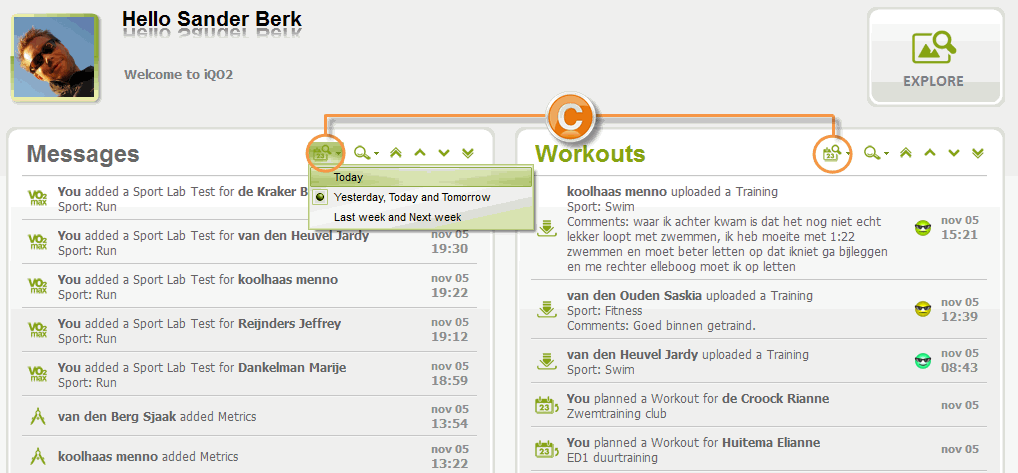
C Filter on date.
- Select the Date filter

- Choose an option from the submenu:
- Today
- Yesterday, today and tomorrow
- Last week and next week
Comments